
Progress photo app
A progress photo app inside ChatGPT
Save your progress photos in the chat, compare them pose by pose and ask the AI what changed. Body Progress by MoveMate keeps everything private and in sync with the MoveMate app.


Free to use · iPhone and Android
Example
Why same-pose photos beat the scale
The scale cannot tell fat from muscle, water or a big dinner. A photo in the same pose, light and distance can show a tighter waist or broader shoulders long before the number moves.
That is why Body Progress lines up the same pose from two dates and lets you slide between them.
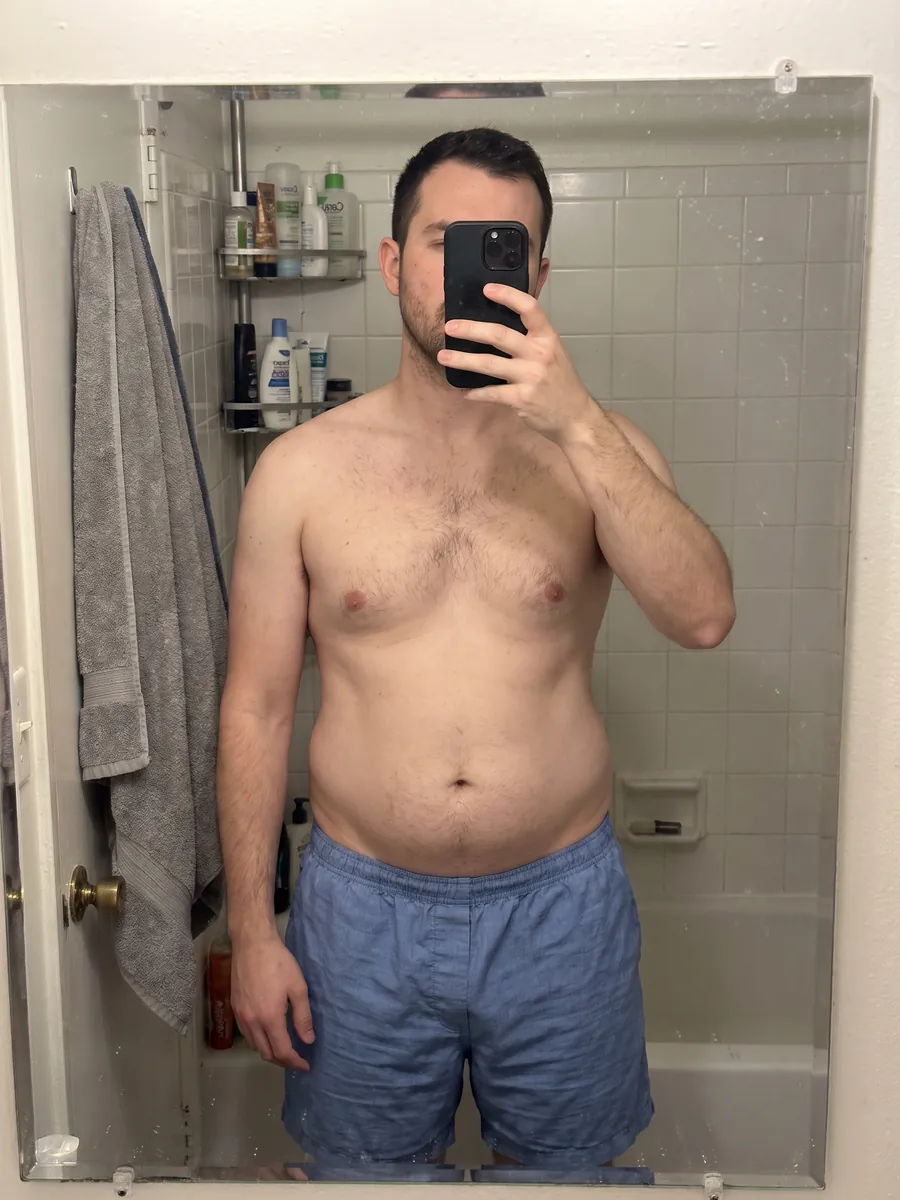
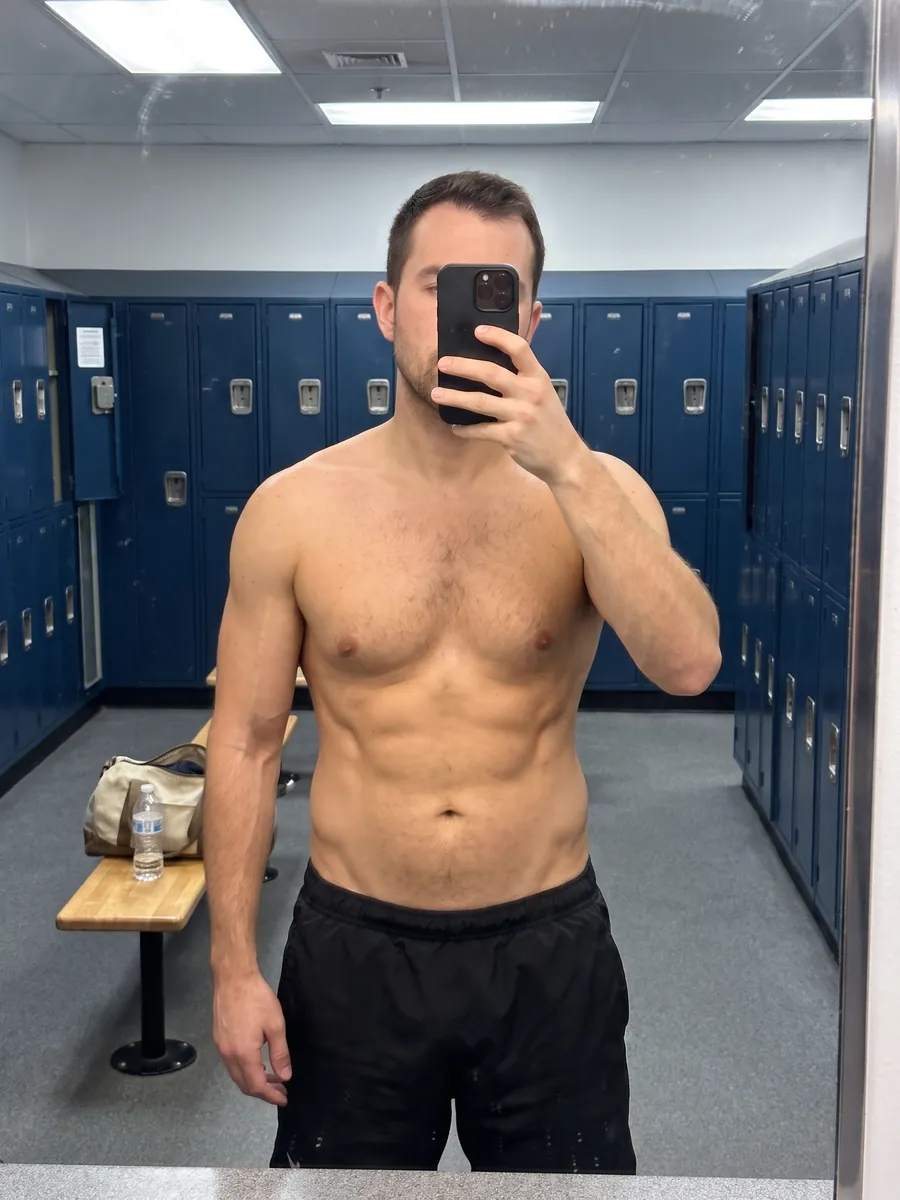 BeforeAfter
Illustration
How a check-in works in chat
- Send your photos: front, side, back and, if you like, flex poses.
- Add your weight and measurements if you want them in the same check-in.
- Everything is saved as one check-in, with the date.
- Ask to compare it with any earlier one.
What the AI read gives you
On request, the AI reads your photos: body fat as a range, 12 muscle groups scored and what changed since your previous check-in. It is always a visual estimate, not a medical measurement.
The groups that lag can go straight into the focus of your MoveMate training program.
Physique read
IllustrationBody fat
15–17%
−2 vs previous check-in
- Chest7.5
- Shoulders7.0
- Upper back6.5
- Lats7.0
- Biceps6.0
- Triceps6.5
- Forearms5.5
- Abs7.0
- Glutes6.0
- Quads7.5
- Hamstrings5.0
- Calves4.5
A visual estimate, not a medical measurement.
Private, and free to start
Your photos are private to you and are never shown to others. You can export or delete anything at any time. The free plan includes 25 progress photos and 1 AI physique read per month; MoveMate Pro adds unlimited photos, the timelapse and more reads.
How to connect
Body Progress is a remote MCP server. You sign in with your MoveMate account, no API key needed.
Server URL
https://body.movemate.app/mcpClaude
Settings → Connectors → Add custom connector, then paste the server URL.
Questions
- Which photos should I send?
- Front, side and back in the same light, place and distance each time. Flex poses are optional.
- Is the AI read a medical measurement?
- No. It is a visual estimate, compared with your previous check-in.
- Is it free?
- It is free to start, with 25 progress photos and 1 AI physique read per month. MoveMate Pro adds unlimited photos, the timelapse and more reads.
- How do I connect it?
- Add the server URL https://body.movemate.app/mcp to your assistant. In Claude go to Settings → Connectors → Add custom connector and paste it. See the How to connect section above.
Take your first check-in
Send your photos in the chat. The same check-in shows up in the Body tab of the MoveMate app.
Free to use · iPhone and Android