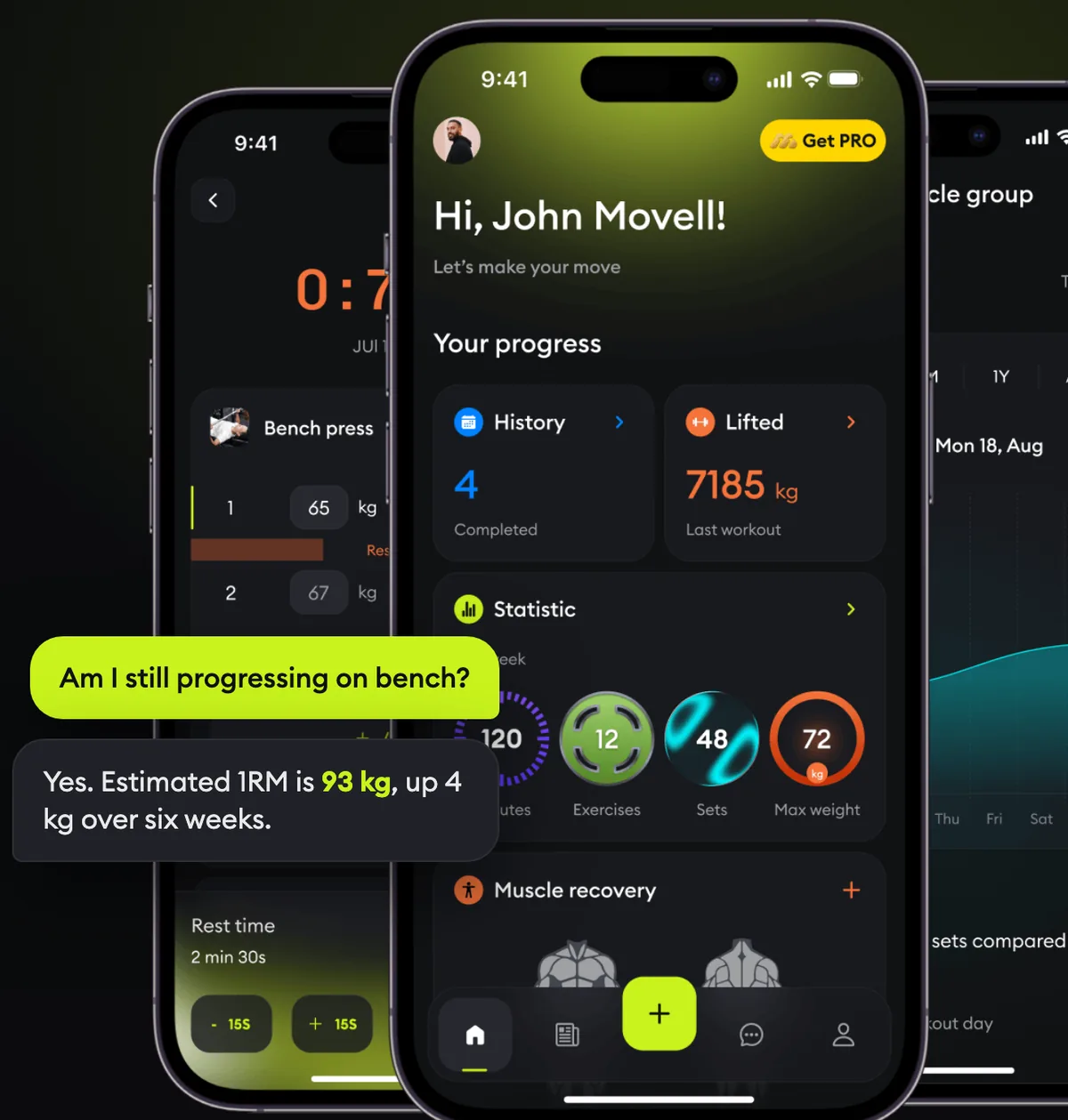
MoveMate for ChatGPT & Claude
Your gym tracker, inside the chat
MoveMate is a gym workout tracker. Log your sets in the app, connect it to ChatGPT or Claude once, and the chat answers from your real numbers — volume, personal records, streaks — and plans your next session.


See it in action
What it looks like in ChatGPT
Real screenshots of the MoveMate plugin in ChatGPT, not mock-ups.
Your training, in the chat
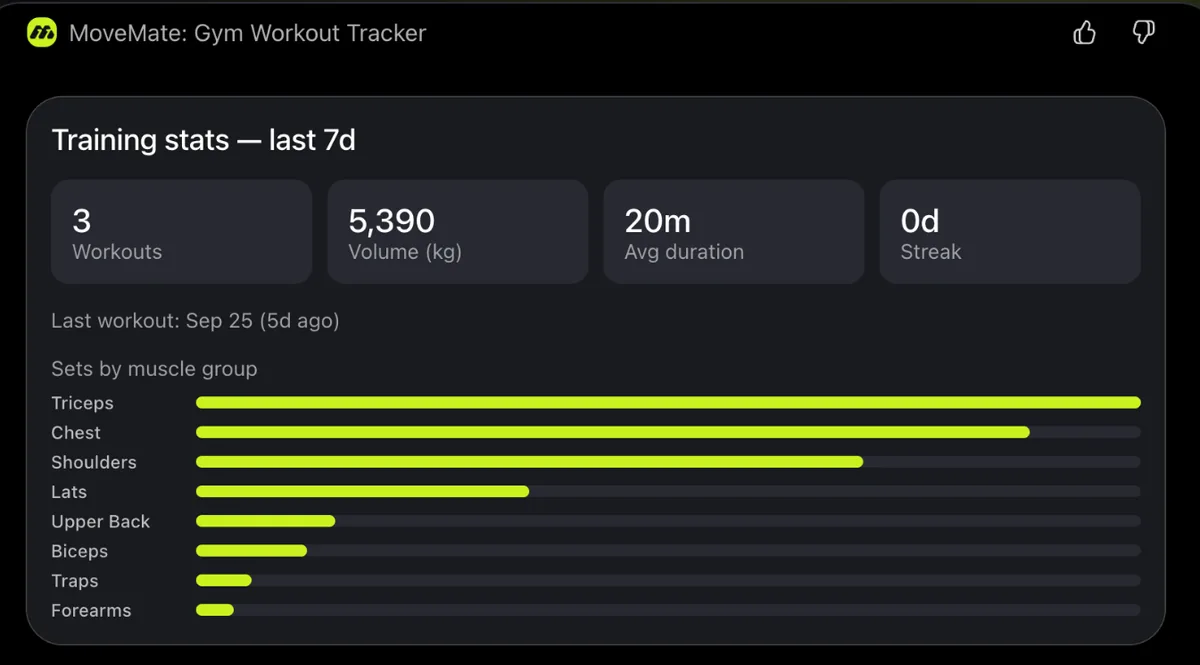
Ask how your week went
Workouts, volume, streaks and sets per muscle group, answered from what you actually logged.
“How was my last week?”
From chat to gym
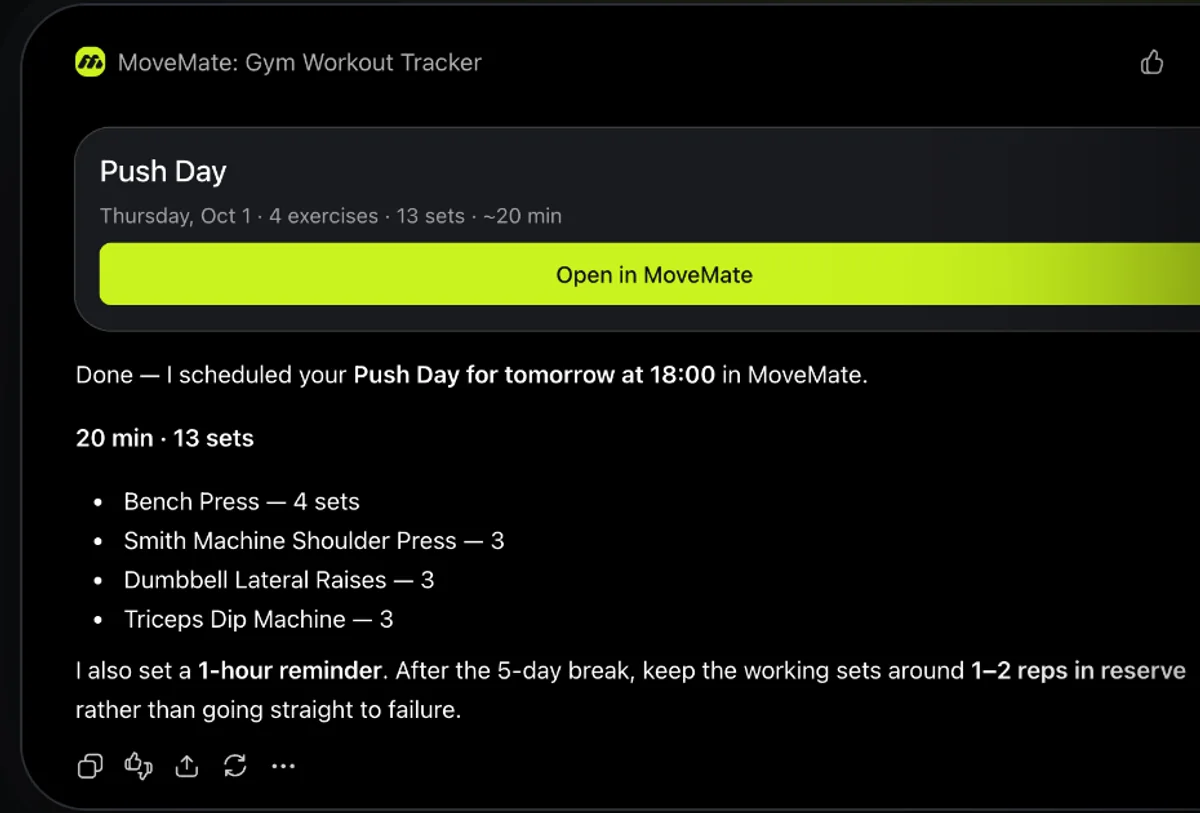
The workout lands in your app
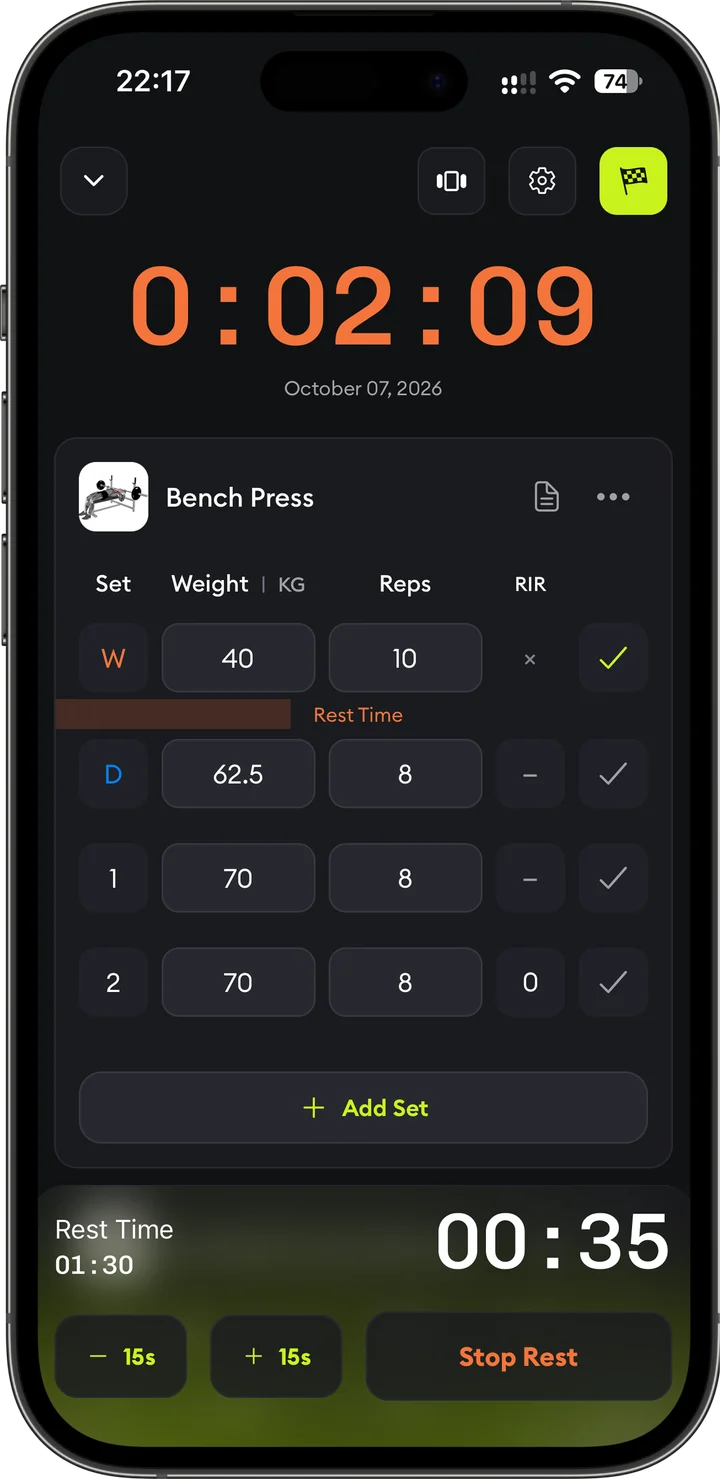
The session is scheduled in MoveMate with a reminder. At the gym, open it and log set by set.
“Plan a push day for tomorrow”
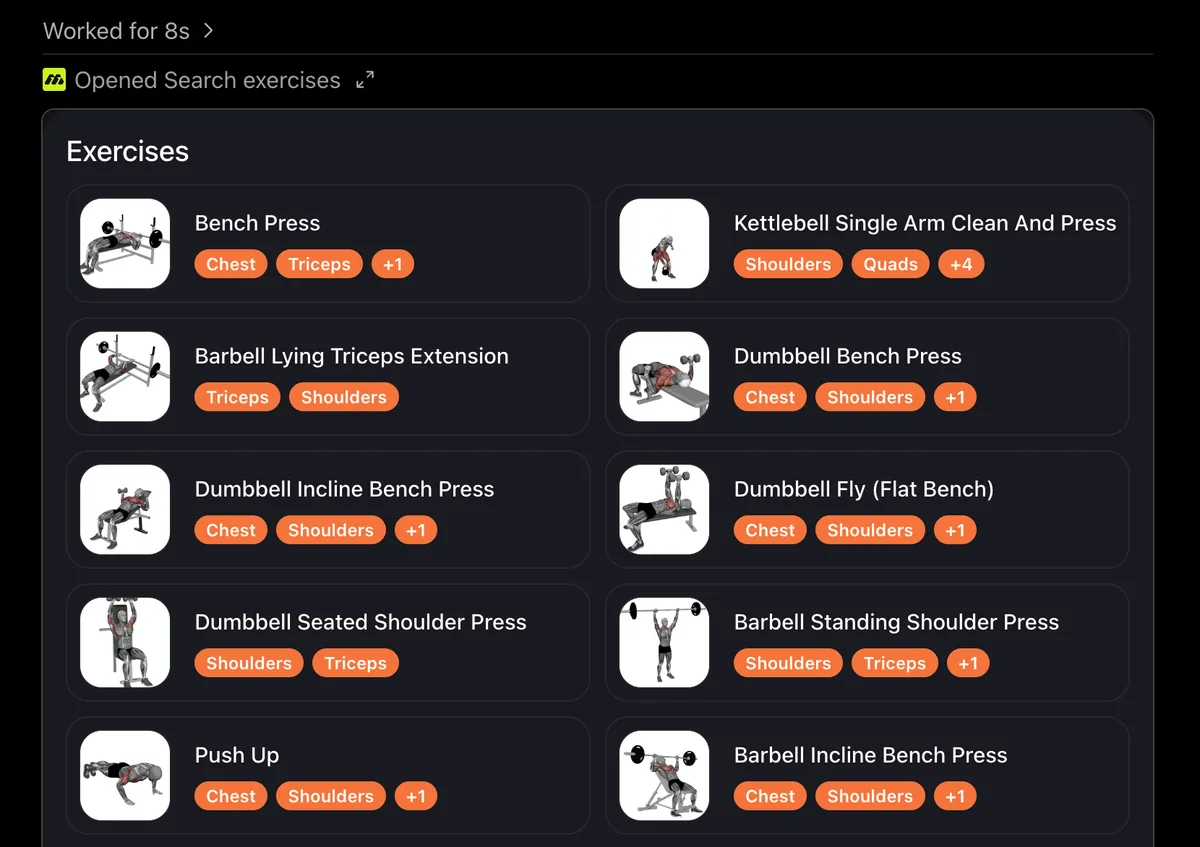
Real exercise library
No made-up exercises
Every workout is built from the MoveMate library of hundreds of movements, with muscle targeting for each one.
“Show me triceps exercises”
How it works
- 1
Get the app and log a workout
MoveMate reads your training history, so it needs something to read. One session is enough to start — the exercise library has hundreds of movements ready to go.
- 2
Connect your AI assistant
Install the MoveMate plugin from Plugins in ChatGPT, or add the MoveMate connector in Claude, and sign in with your MoveMate account. It takes about a minute and only has to be done once.
- 3
Just ask
Your stats, your records, your next session — in the chat you already have open. Workouts you approve land in MoveMate, ready for the gym.
The app behind the chat
Logging that keeps up with your set
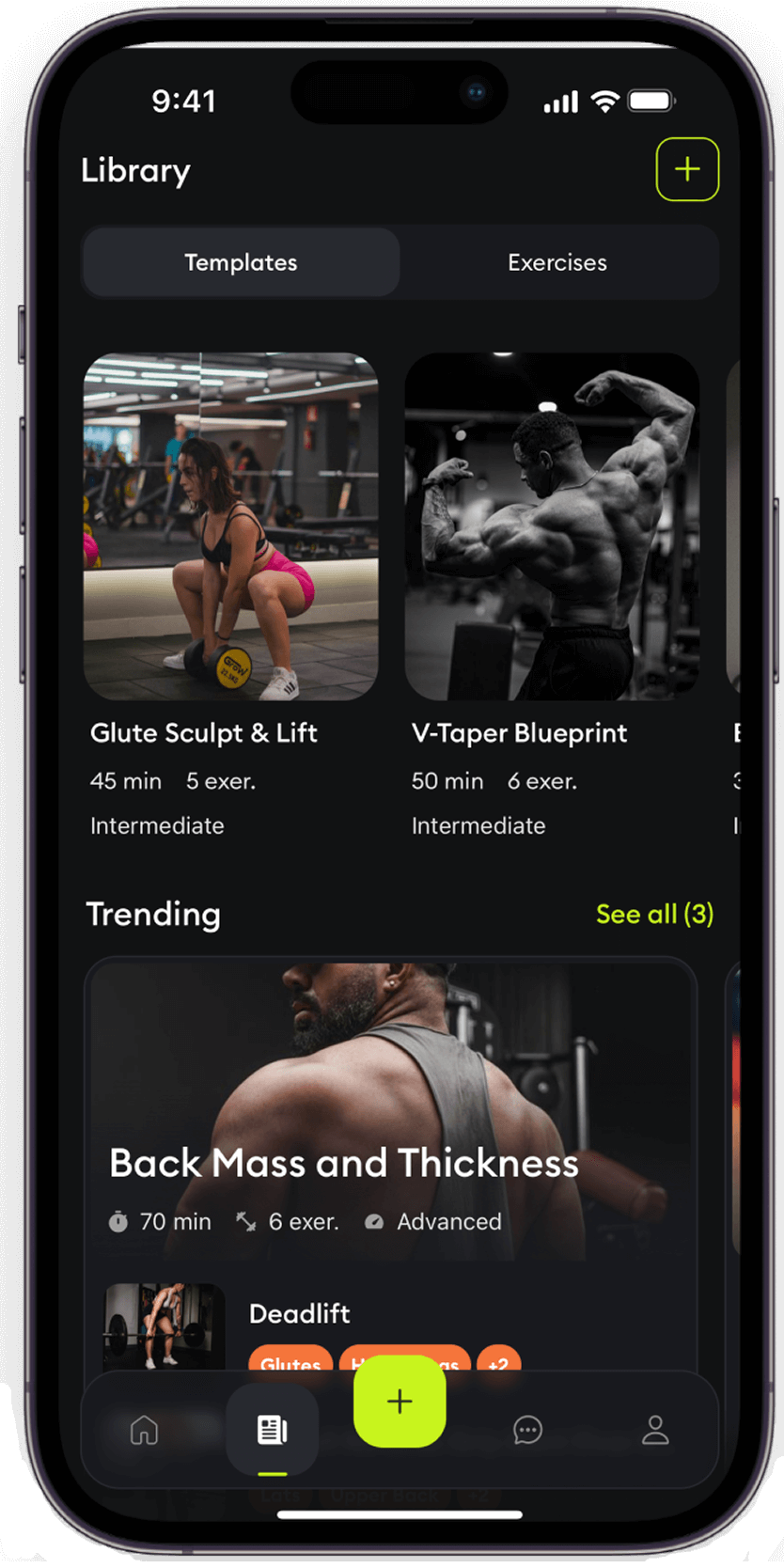
Weight and reps per set, a rest timer that starts itself, supersets, and hundreds of exercises with proper form. Everything the chat reads later is captured here, in a couple of taps between sets.
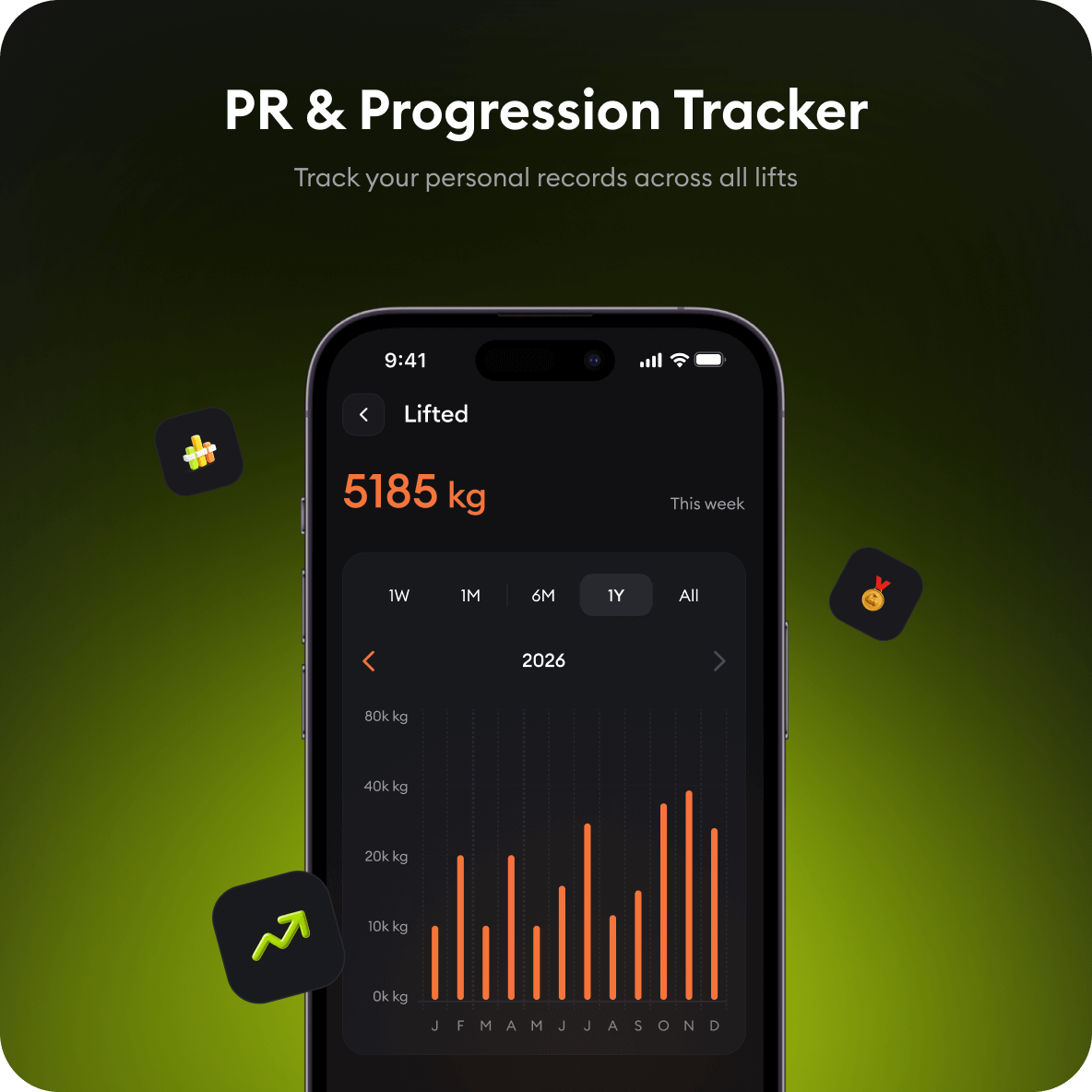
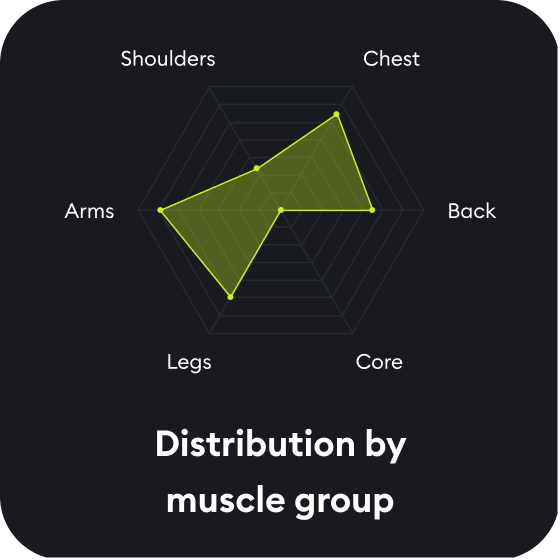
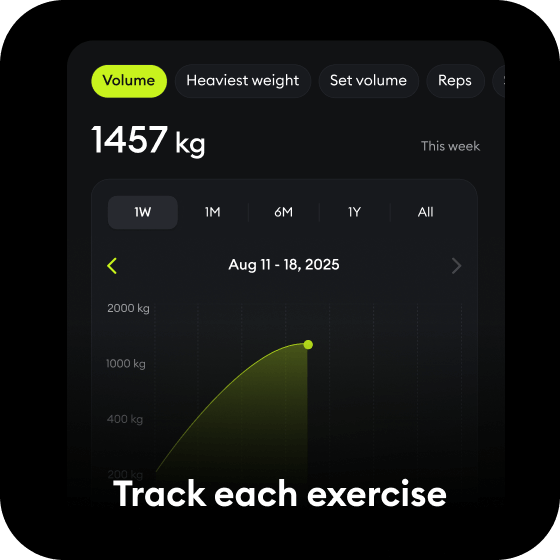
Numbers your AI can actually use
Weekly volume, distribution by muscle group, estimated 1RM per lift and every personal record. MoveMate does the counting, so the chat answers from a real trend instead of a guess.
Ready-made workouts and a full exercise library
Hundreds of exercises with instructions and muscle targeting, plus ready-made workouts for every goal. The assistant builds your sessions from this library — never from invented exercises.
Try asking
- “What’s my current workout streak, and when was my last session?”
- “Plan me a push day using only dumbbells, based on my recent training.”
- “Log yesterday's workout: bench 4×8 at 80 kg, squats 3×5 at 100 kg.”
- “What’s my personal record on bench press, and is it trending up?”
Why not just ask the chat?
Real numbers, not guesses
A plain chat forgets your last session. MoveMate remembers every set, rep and kilo, so the advice is built on what you actually lifted.
Plans that land in your app
A workout you approve is scheduled in MoveMate on the date you pick — ready to log set by set at the gym, not lost in a chat thread.
One account, any assistant
The same MoveMate data works in ChatGPT, Claude and other MCP-compatible apps. Switch assistants without losing your history.
What your assistant can do with your account
19 tools — 12 read your data, 7 can act on it (with your approval each time).
get_profileDisplay name, timezone, and training frequency — lightweight context used implicitly.
get_body_profileHeight, weight, age, gender, fitness level, activity level, goals, and equipment.
search_exercisesMoveMate’s exercise library, including your own custom exercises.
show_exercisesShows exercises as cards with images and the muscles they work — when you ask to see your options.
list_workoutsMoveMate’s workout catalog, including your own custom workouts.
get_workoutA specific MoveMate workout by ID, displayed as a workout card.
get_workout_detailsThe full contents of a workout — every exercise, set, target and superset — read before any change, so nothing gets lost.
get_training_statsTotals, volume, weekday frequency, and streak over a rolling period.
get_recent_workoutsRecent completed workouts set by set — including plan vs. actual, skipped sets, reps, weight, duration, and distance.
get_exercise_progressionPer-exercise progress over time — bodyweight work by total reps, with weighted and unweighted sessions kept in separate series.
get_personal_recordsYour best set per exercise, by estimated one-rep max.
list_planned_workoutsWhat’s coming up, so the model can avoid double-booking.
create_custom_exerciseAdds a new exercise to your own library when the built-in one doesn't have what you're after — matches muscle group and equipment by name automatically.
create_custom_workoutSaves a new workout to My workouts without putting it on the calendar — always asks before saving.
update_custom_workoutEdits one of your saved workouts — add or swap an exercise, rename it. Sessions scheduled from it change too.
create_planned_workoutSchedules a workout on a chosen date — a new one, one of your saved workouts, or one from the MoveMate library — always asks before scheduling.
update_planned_workoutReschedules a planned workout, renames it, or replaces its exercise list — only for workouts that haven't happened yet.
delete_planned_workoutCancels a planned workout and takes it off your schedule — your saved workout stays in My workouts.
log_completed_workoutsAdds workouts you've already done to your history — from the last two weeks, or older ones from your notes if you're new to MoveMate. Not a live tracker: set-by-set logging stays in the app.
Your data stays yours
Nothing is shared until you explicitly connect your account. Once connected, the assistant can read the data listed above — never your email, password, or billing information — and can only schedule or log a workout with your separate, explicit approval. Disconnect anytime from the app’s AI settings screen or the assistant’s own connector settings. Full details in the Privacy Policy.
Connect to other MCP clients
MoveMate is a remote MCP server with OAuth sign-in. Add this URL as a custom connector in any MCP-compatible client — Cursor, VS Code, Le Chat and others — and sign in with your MoveMate account.
MCP server
Questions
- Do I need to pay for this?
- No. MoveMate is free to use — logging your workouts, reading your stats and exercise library, and having your assistant plan and schedule sessions all work on a free account. The connection itself costs nothing either. On the free plan, the assistant can keep up to 10 upcoming planned workouts and add up to 10 saved workouts and 20 custom exercises; MoveMate Pro removes these limits.
- Do I need a specific ChatGPT or Claude plan?
- Availability of plugins and connectors is set by OpenAI and Anthropic, not by us. If you see Plugins in the ChatGPT sidebar or Connectors in Claude, you can add MoveMate there.
- Does it work on my phone?
- The MoveMate app is on iPhone and Android. Adding the connection is easiest on a computer; once it's added, it works in the ChatGPT and Claude mobile apps too.
- What exactly can it see?
- Only the MoveMate data listed above: your profile and body stats, exercise library, training stats, progression and personal records, and your saved and planned workouts. It cannot see your account credentials or payment information.
- Can I log workouts from the chat?
- Yes — tell it what you did, like “yesterday: bench 4×8 at 80 kg”, and the session goes into your MoveMate history, so your stats and records include it. This works for workouts from the last two weeks. New to MoveMate? It can also bring over past workouts from your notes — up to 300 through the chat; for a longer history or a Hevy or Strong export, use the import in the app. To track a workout set by set while you train, use the app.
- Can I disconnect later?
- Yes, any time — from MoveMate's AI settings or from the assistant's own connector settings. Disconnecting revokes access immediately.
Guides and use cases
- How to connect MoveMate to your AI assistant ↗Connect MoveMate to ChatGPT, Claude, Codex, Claude Code, Cursor, VS Code or any MCP client in about a minute. Sign in with your MoveMate account, no API key.
- How to install the MoveMate plugin in ChatGPT ↗Install the MoveMate: Gym Workout Tracker plugin in ChatGPT in about a minute: open the plugin page, select Install plugin, sign in with MoveMate, then ask about your training.
- Connect MoveMate to Claude ↗Ask about your training, get workouts planned from your real history, and schedule them straight into the app — right from a Claude chat.
- Plan your workouts with ChatGPT — based on what you actually lifted ↗Use ChatGPT as a workout planner that sees your real gym history. MoveMate connects your workout log to ChatGPT, so plans are based on what you actually lifted and land straight in the app.
- Use Claude as your gym coach — with your real training data ↗Connect your workout log to Claude. MoveMate lets Claude read your training history, track your PRs and progress, and schedule your next gym session straight into the app.
- A Hevy alternative that works inside ChatGPT and Claude ↗Looking for a Hevy alternative? MoveMate is a free gym workout tracker for iPhone and Android that also works inside ChatGPT and Claude, so your AI coach can see your training and plan your next session.
- A Strong app alternative with an AI coach that knows your training ↗Looking for an alternative to the Strong workout app? MoveMate is a free gym tracker for iPhone and Android with PR tracking, progression charts and an AI coach in ChatGPT and Claude that knows your training.
- Turn your workout notes into a real training log ↗Paste notes from Apple Notes or a spreadsheet, snap a paper log, or open a Hevy or Strong export. MoveMate turns it into workouts with stats and PRs.
- Bring your Hevy or Strong history to MoveMate ↗Export a CSV from Hevy, Strong or FitNotes and open it in MoveMate. Your sets, dates and PRs come over, and your routines become ready-to-start workouts.
Start with one logged workout
Track your training in MoveMate, then let your AI assistant do the reading, the maths and the planning.